
Crisis exercises, run live
One console for the facilitator. Every participant on their own phone.
Tactirun is a platform for facilitator-led crisis-management exercises and training. Build a scenario of slides, run it live, see the answers as they arrive, then assess and report on what the group did.
Hosted in the EU (Finland) or installed on your own servers. In Estonian and English.
How it works
From scenario to report in four steps
-
Author the scenario
Write the situation as slides in Studio and add questions with scored options. Publish a version when it is ready.
-
Run it live
Open a run in the Console, put the join code and QR code on the projector, and send each slide to the room when the moment comes.
-
Participants answer on their phones
People join with the code — no account, no app to install — and answer in the browser. Results fill in live for the facilitators.
-
Assess and report
Rate answers and competences, look at the radar, and generate an accessible PDF report or a spreadsheet for the after-action review.
Three views, one exercise
Studio for authors, Console for facilitators, Room for participants
Studio
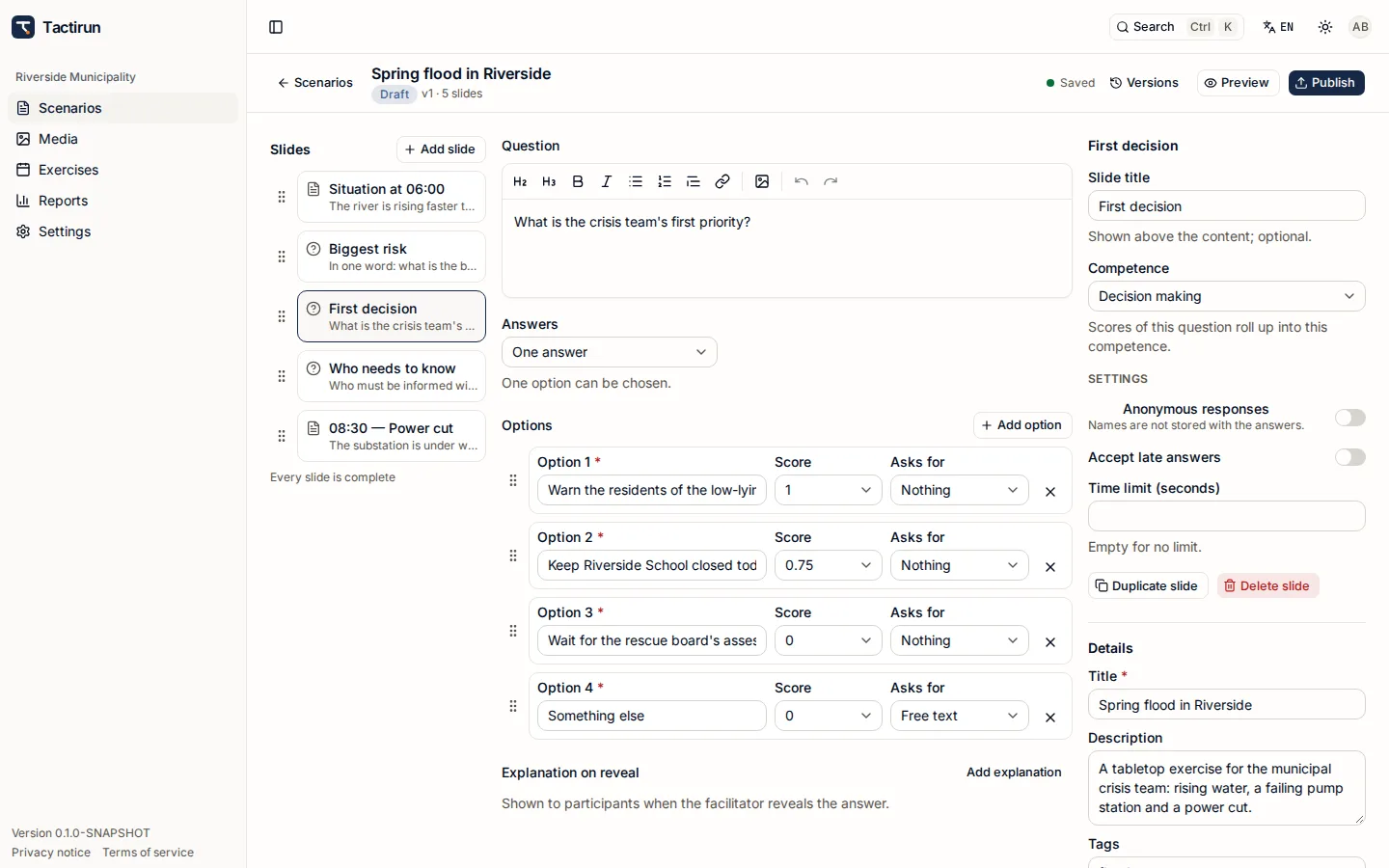
Where scenarios are written and exercises are planned: slides, the media library, participants, attributes, competences and reports.
- Content slides with formatted text and pictures; question slides with single or multiple choice.
- Drafts and published versions — a scheduled run keeps the version it was given.
- Preview a scenario before anyone sees it.
Console
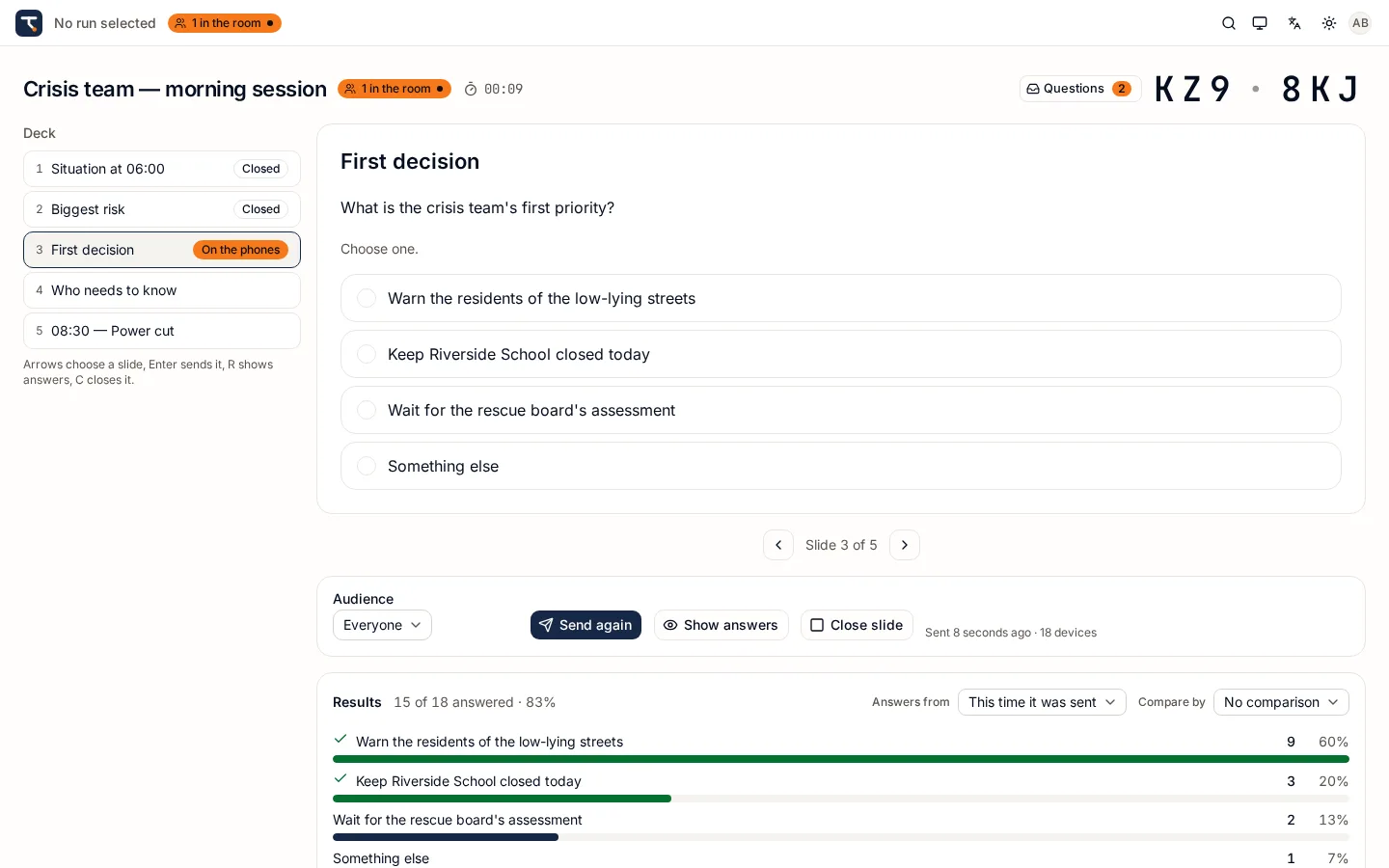
Where the exercise is run: the deck, the room, the answers and the questions, on one screen.
- Send a slide to everyone, to a group, or to named people; reveal the answer when you are ready.
- See answers arrive and break them down by any participant attribute.
- A projector view with the join code, and a read-only Console for observers.
Room
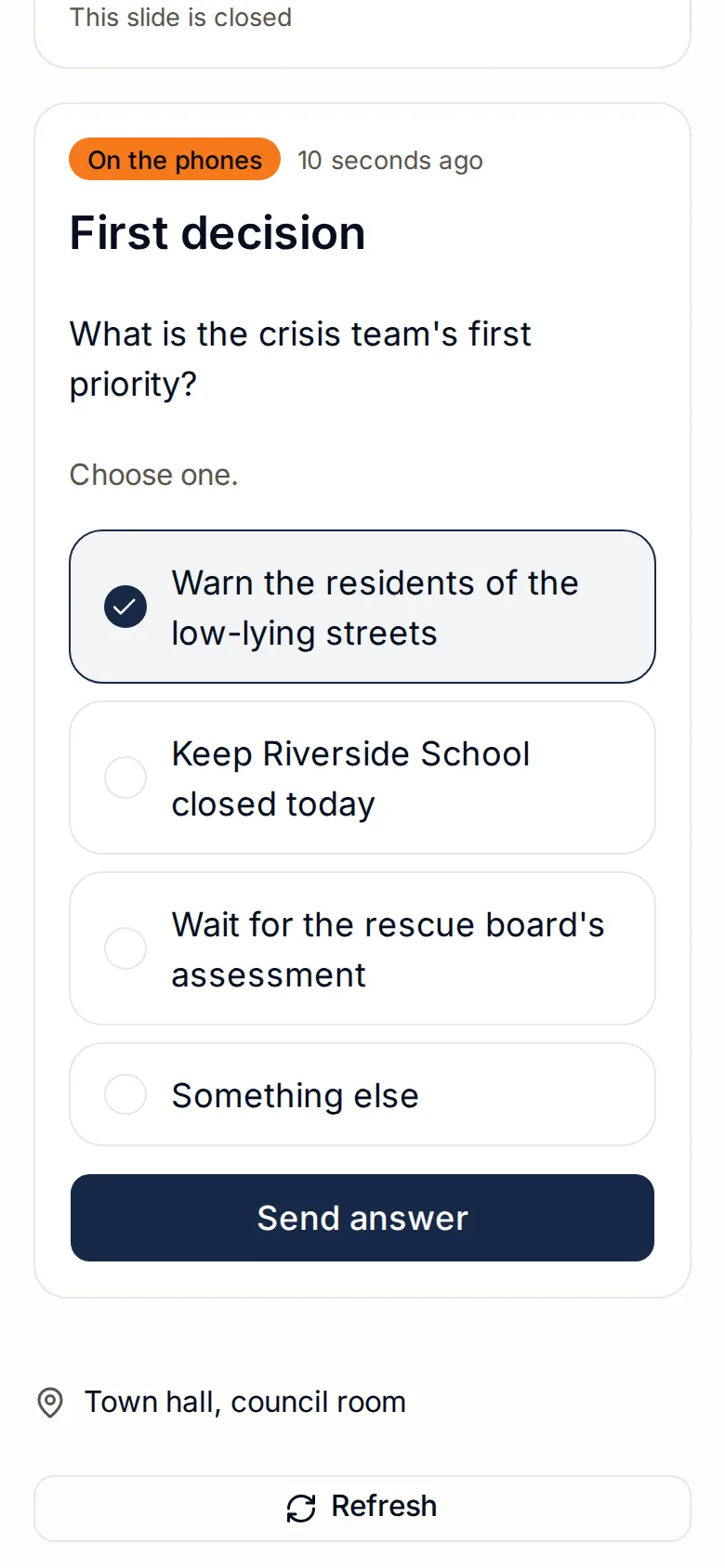
What participants see: a phone-first page that shows the slide in front of them and takes their answer.
- Join by code (with an optional PIN) or a personal link sent by e-mail. No account.
- Works from 360 px wide; after a dropped connection it reconnects and catches up by itself.
- Ask the facilitators a question at any time; see your own summary at the end.
What you get
Built for exercises that need evidence afterwards
Live results
Counts per option, one-word answers gathered and counted, written answers — grouped and filtered by participant attributes while the exercise runs.
Groups and audiences
Describe participants with your own attributes — region, role, institution — and send slides to exactly the people they concern.
Questions to facilitators
Participants ask from their phones; every facilitator of the run sees the question in one inbox and can reply.
Assessment and competence radar
Rate answers or people on your competences on a 5-step scale; the radar shows the whole group, any subgroup or one person.
Reports and exports
Tagged, accessible PDF, XLSX and CSV — named, pseudonymous or anonymous, with small groups suppressed.
In Estonian and English
The whole interface, the e-mails and the reports are in Estonian and English; every person picks their own language.
Who it is for
Organisations that train for the day things go wrong
- Ministries, agencies and municipalities preparing their crisis teams.
- Rescue, emergency and health services exercising together with their partners.
- Companies testing business-continuity and incident-response plans.
- Training centres, colleges and universities running crisis-management courses.
Where it runs
Hosted for you, or on your own servers
Hosted
We run Tactirun for you on UpCloud in the EU (Finland). Your organisation is a separate tenant; you manage members and settings yourself.
On-premise
The same images the hosted service runs, installed on your own infrastructure — on request, with installation help.
Planning an exercise or a training course?
Tell us how many people take part and whether you want Tactirun hosted or on your own servers. We reply with a quote and, if you like, a walkthrough.